Your own domain, step by step
What you get
Your site answers at your own address, like example.com, over HTTPS, and search engines find it there. Your original site keeps running at a second address of yours and becomes your staging site: you work in it as before, and nothing you change is public until you publish it with MakeStatic.
It takes four steps at your web host and your DNS provider: a few minutes of your time, and sometimes an hour of waiting for DNS. Your visitors see your site the whole time, first the original, then the copy, and never a warning.
Before you start
- A site in MakeStatic whose copy is published.
- Access to your web host, where your original site runs.
- Access to your DNS provider. Often that's the company you bought the domain from, or Cloudflare.
- Which address to use: your bare domain (example.com) is best. If your DNS provider can't point a bare domain at another name (that needs CNAME flattening, ALIAS or ANAME, which Cloudflare has), use www.example.com instead.
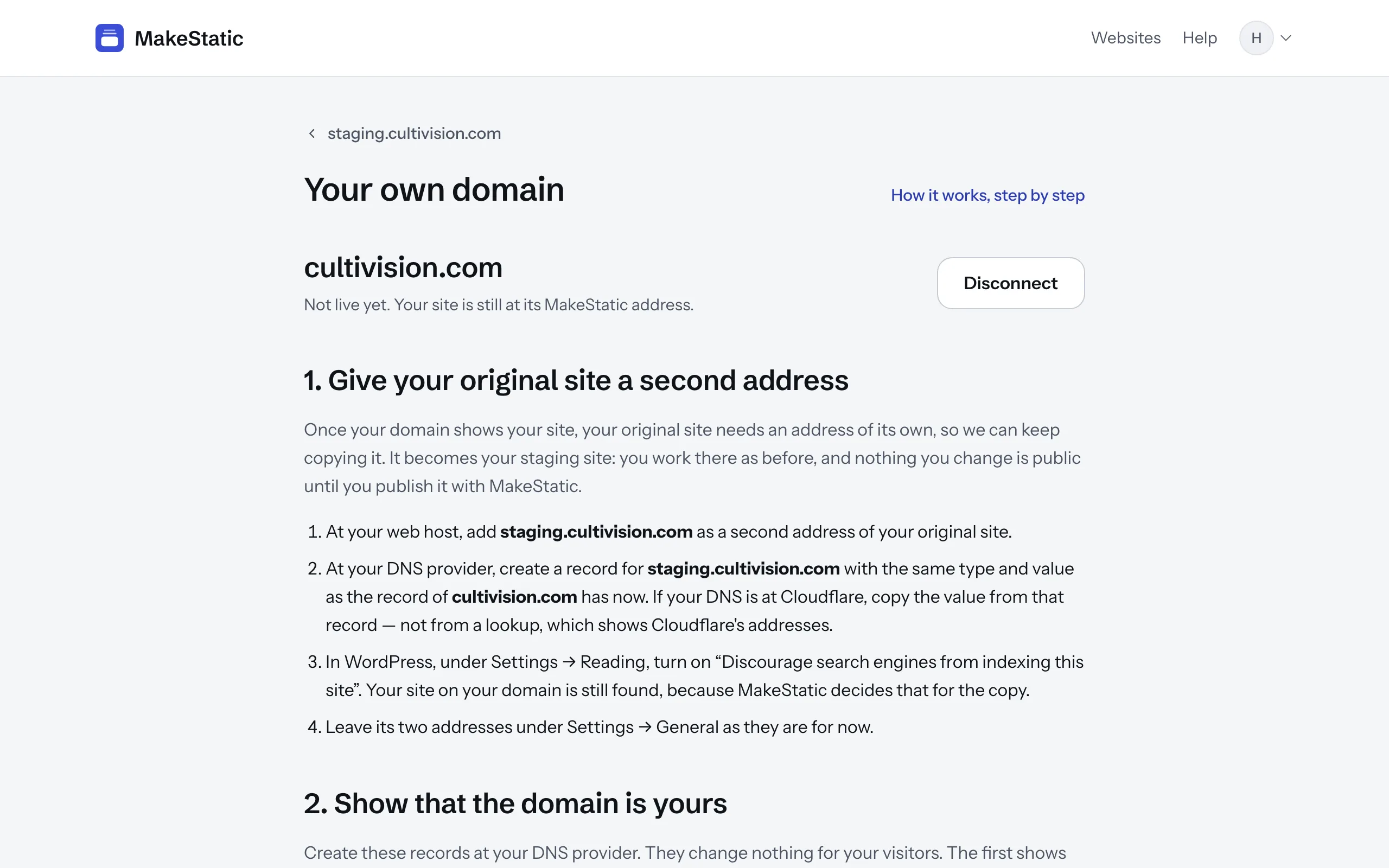
1. Give your original site a second address
Once your domain shows your site, your original site needs an address of its own, so we can keep copying it. It becomes your staging site: you work there as before, and nothing you change is public until you publish it with MakeStatic.
- At your web host, add staging.example.com as a second address of your original site.
- At your DNS provider, create a record for staging.example.com with the same type and value as the record of example.com has now. If your DNS is at Cloudflare, copy the value from that record — not from a lookup, which shows Cloudflare's addresses.
- If your CMS can keep search engines away from a site, turn that on. Your site on your domain is still found, because MakeStatic decides that for the copy. If your CMS has its own address stored, leave it as it is for now.
2. Show that the domain is yours
In MakeStatic, open your site, choose “Connect your own domain” and type the address. You get three records to create at your DNS provider, each with a button that copies its name and its value. They change nothing for your visitors.
- A TXT record named _makestatic.example.com. It shows us the domain is yours. Keep it for as long as your domain is connected: if it disappears, we mail you at once, and the domain is disconnected 7 days later unless it is back.
- A TXT record named _cf-custom-hostname.example.com, and a CNAME record named _acme-challenge.example.com. They let Cloudflare, which issues your site's certificate, prove the domain and issue the certificate before anyone arrives.
If your provider adds your domain to every name automatically, enter only the part before it: _makestatic, not _makestatic.example.com. The page checks on its own and shows when the domain is confirmed and the certificate issued.
3. Point your domain at MakeStatic
Once both are done, replace the record of your domain with a CNAME record pointing to domains.makestatic.site. On Cloudflare, set it to “DNS only”, not proxied. Within minutes your domain shows your site; we mail you when it does, and you can close the page in the meantime.
To have the other name lead to your site too (www.example.com, or the bare domain if you chose www), set up a redirect at your DNS provider or registrar. On Cloudflare, that's a redirect rule.
4. Move your original site to its second address
Your domain shows your site now. If your CMS has its own address stored, change it to https://staging.example.com, and log in there from now on. Then tell us where your original site is, and your next publish copies from there.
From here on, your original site is your staging site. Write, try things, change your theme: your visitors see none of it until you press Publish, and if a publish goes wrong, the version they see stays as it was.
If something takes longer
- DNS changes usually arrive within minutes, and sometimes take an hour. “Check now” on the page looks again at once.
- If the certificate is held up, the page says why. The most common reason is a CAA record at your domain that allows other certificate authorities only.
- A record that is not found is often one the provider saved under a doubled name, like _makestatic.example.com.example.com: enter only the part before your domain.
- Anything else: write to [email protected].
Leaving again
“Disconnect” on the page takes your domain off MakeStatic immediately; your site stays at its MakeStatic address. Point your domain back at your web host and change your CMS's stored address back, and your original site is public again.