Getting started: your first static copy
From your website's address to a published copy takes four steps and a few minutes. Here is what happens at each one.
1. Test it on one page
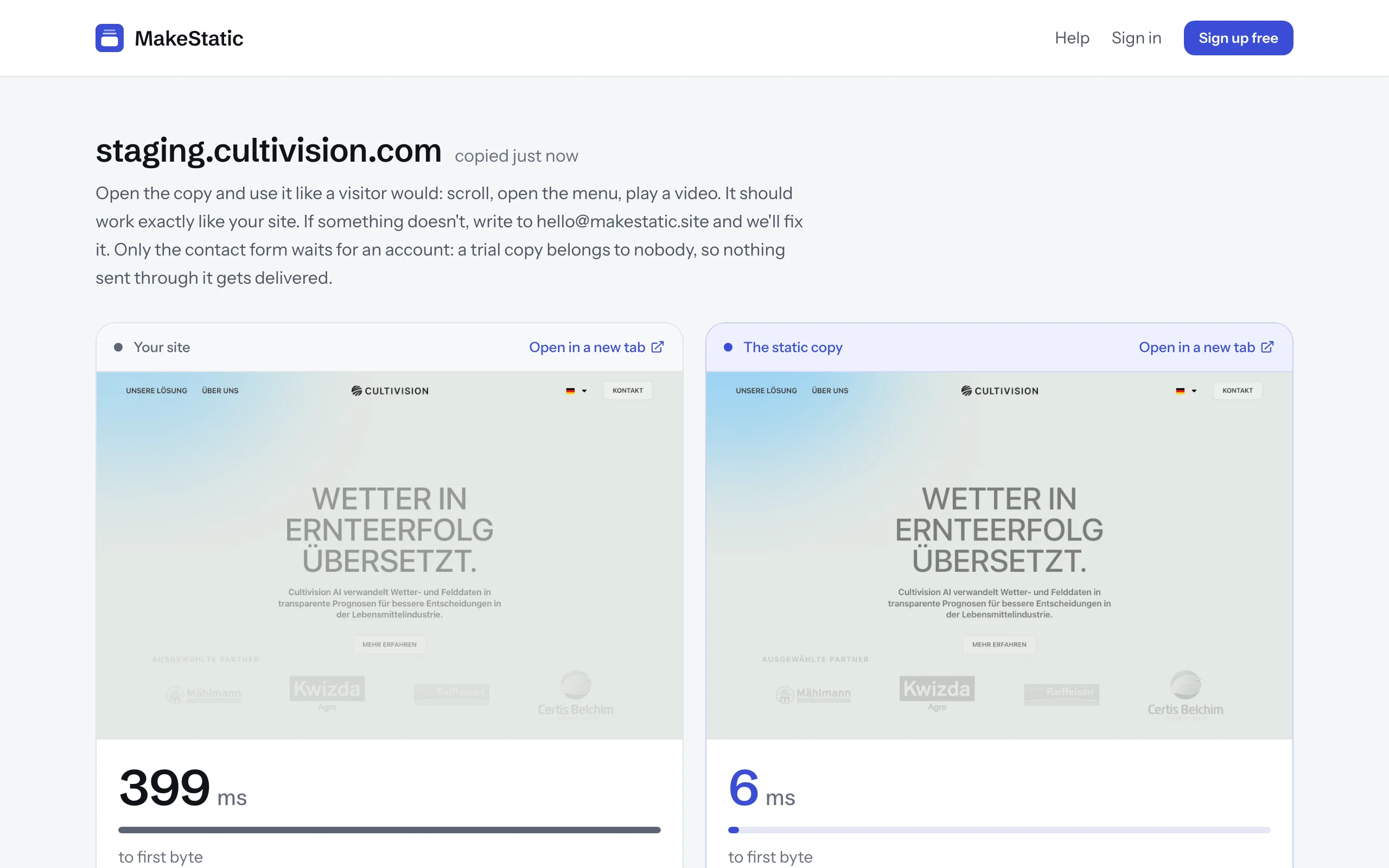
On the home page, type your website's address and press “Test this page”. You don't need an account or an email address for it. MakeStatic copies that one page while you watch, then shows your site and the copy side by side, with how fast each one answered.
Pressing the button confirms that the site is yours, or that you're allowed to copy it. The test copy can only be opened by its link, stays out of search engines and is deleted after four hours.
2. Create your free account
MakeStatic is free while it's in beta, and you don't need a credit card. If it gets a price one day, you'll see it before anything about your site changes.
Sign up with your email address. We send you a link: open it, and you're in. There's no password to invent, and each time you sign in, a new link arrives by email. If you'd rather use a password, you can set one in your settings.
If you come from the test, the address you tried comes along and becomes your first website as soon as you've confirmed your email address. Nothing is copied before that.
3. Add your website
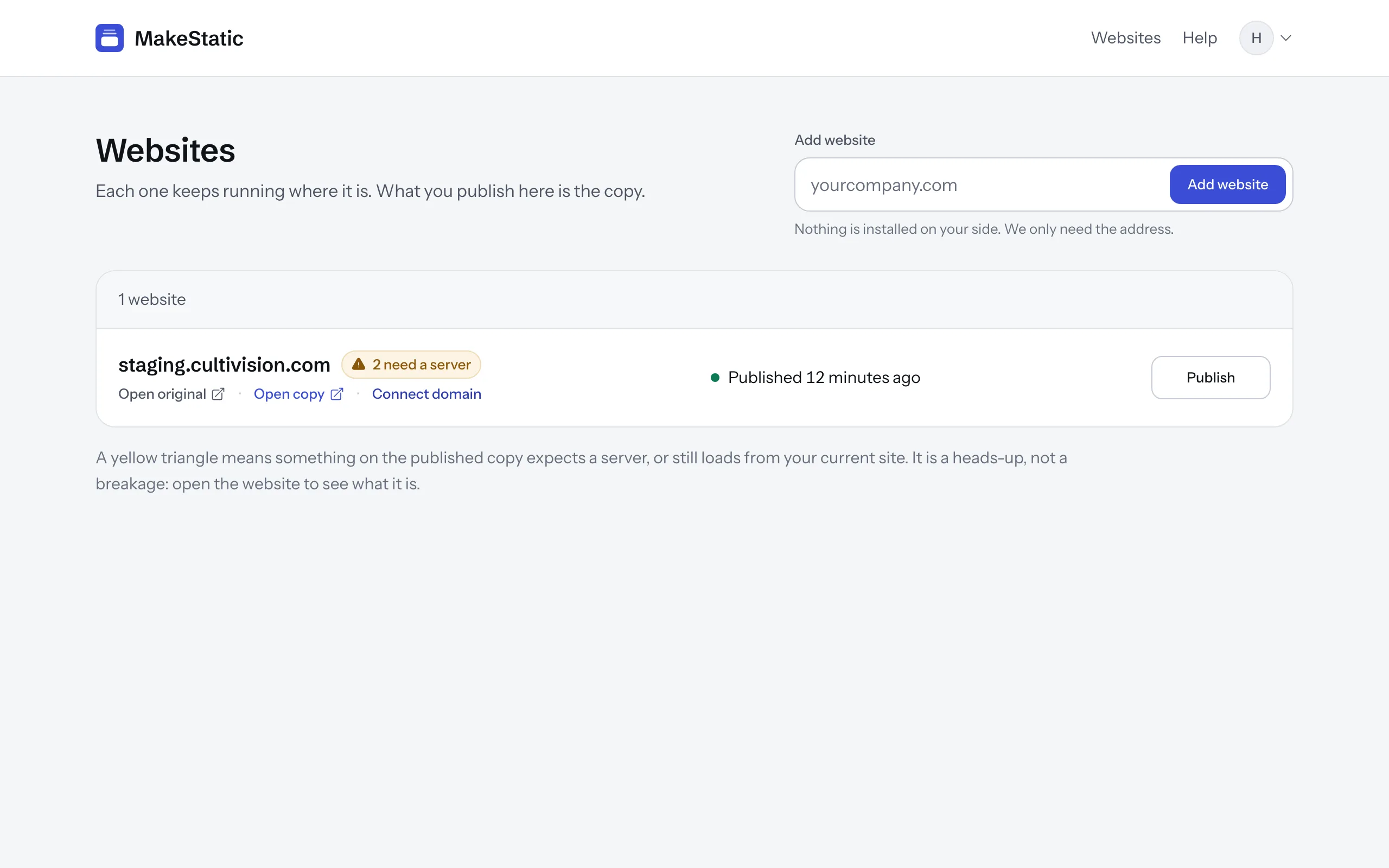
Under “Websites”, type your site's address into the field and press “Add website”. The site is in the list at once, and MakeStatic starts copying it: every page, with its pictures, fonts and files. The site's page shows how far it has got.
Your copy gets an address of its own at MakeStatic, like example-com.makestatic.site. In the list, “Open original” and “Open copy” sit side by side, so you can compare the two.
4. Check your copy
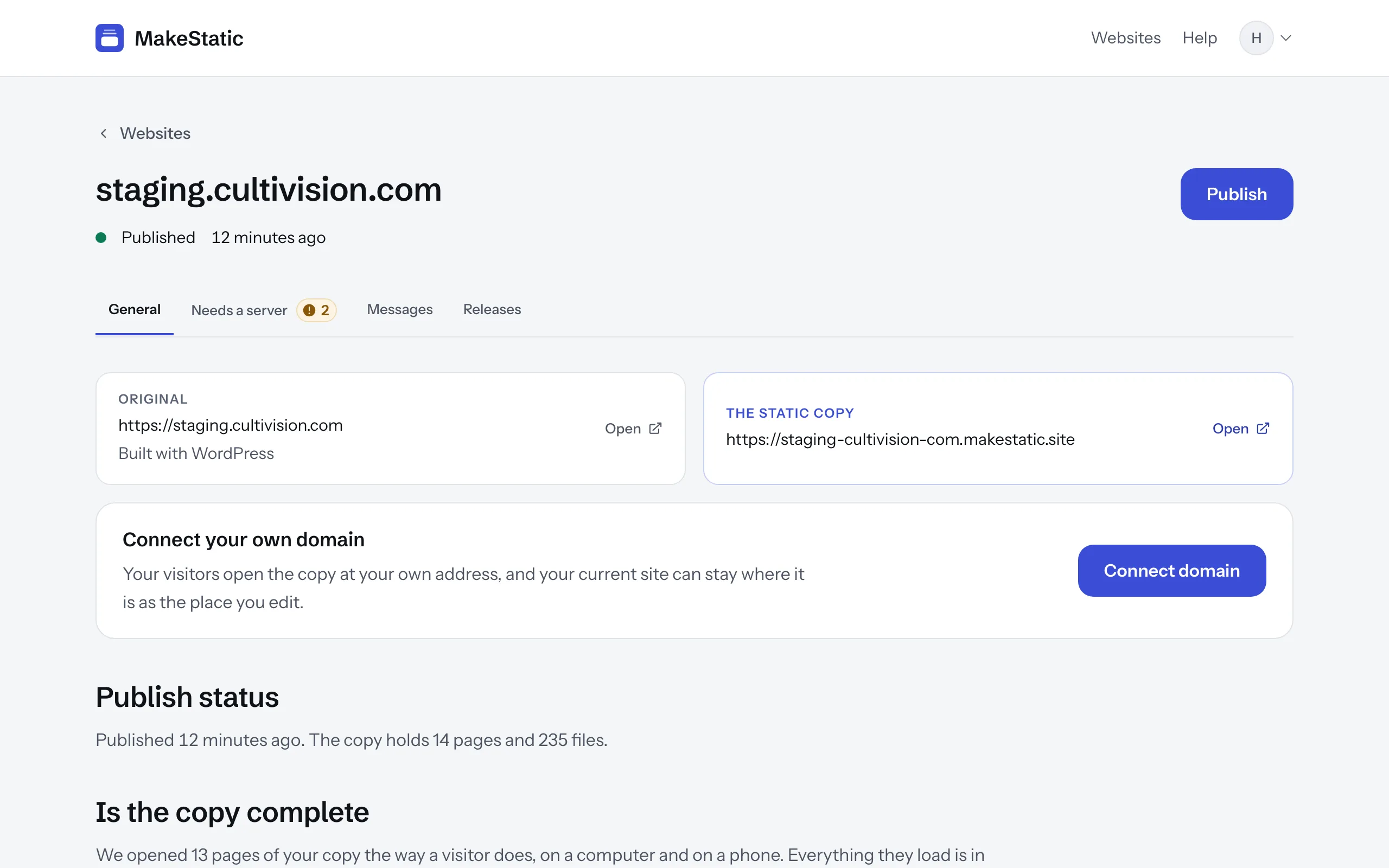
Every website has a page of its own, in four tabs. “General” shows when the copy was published, how many pages and files it holds, and whether it is complete. “Needs a server” lists what your site does on its server, such as a contact form, and asks what the copy should do with it. “Messages” holds what visitors send through your forms, and “Releases” lists every publish with what changed.
Open the copy and click through it the way a visitor would. If a page works differently from your site, that's ours to fix: write to [email protected].
Publishing changes
You keep working in your original, as before. Nothing reaches the copy on its own: when you're ready, press “Publish”, and MakeStatic makes a new copy. It only goes live once it's finished. If something goes wrong, the copy your visitors see stays as it was, and the page says what happened.
Next: your own domain
At its MakeStatic address the copy stays out of search engines. Once you connect your own domain, like example.com, your visitors and search engines find the copy there, and your original becomes the place where you work on your site.