Contact forms and messages: what arrives, and who receives it
A contact form on your copy works: your visitors fill it in and send it, and the message arrives in MakeStatic and in the mailboxes you choose. The form looks exactly as it does on your site.
Where a message arrives
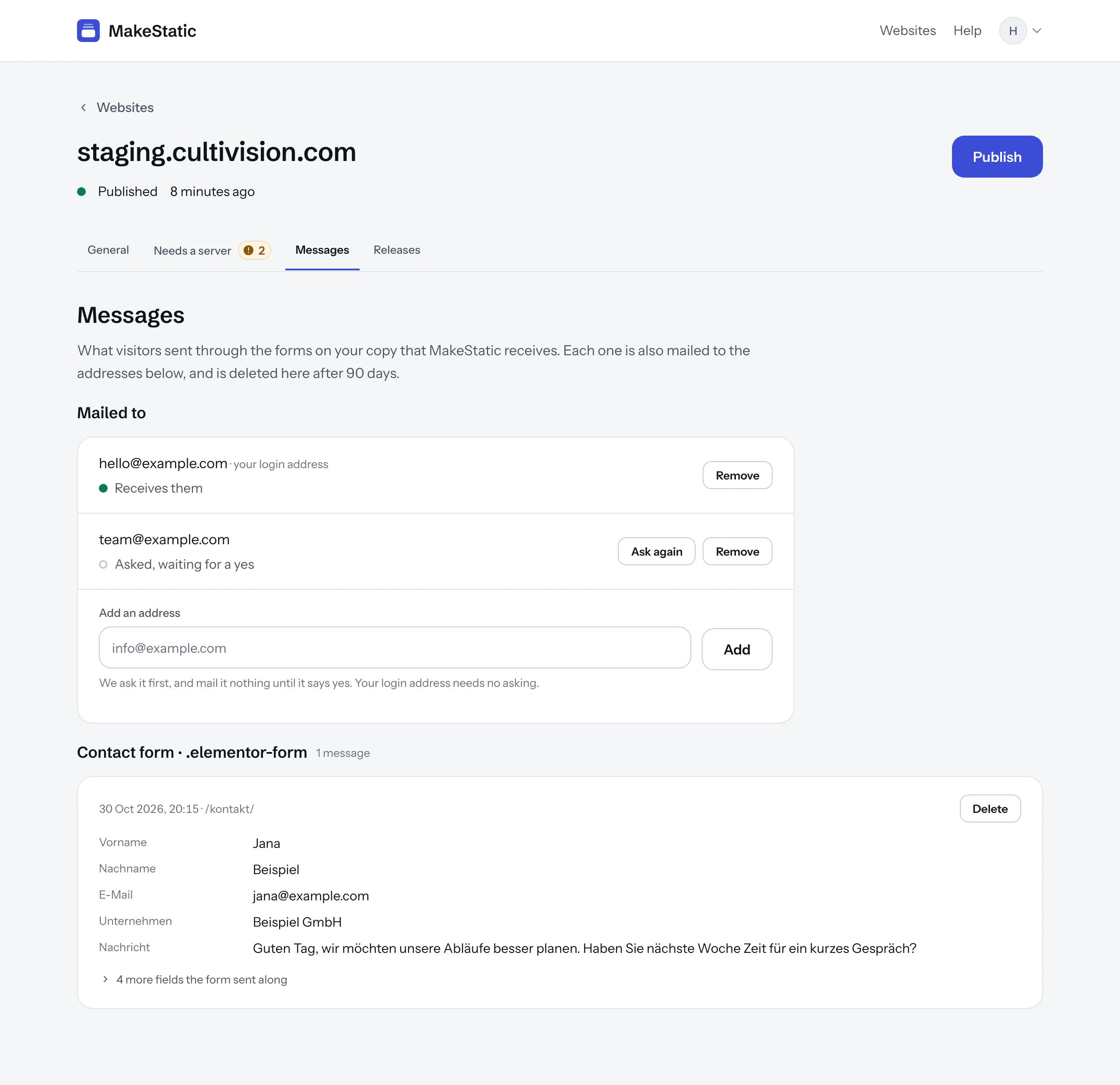
Every message is listed on your website's “Messages” tab, by the form it came from, and mailed to the addresses under “Mailed to”. A new message shows on an open tab without reloading it.
Each field is named by the label your visitor saw, not by a name only the form knows. What the form sent along that the visitor never saw, like a hidden field, is kept too, but set apart below the message.
Who receives it
Under “Mailed to” you name up to six addresses. The login address of whoever added the website is on the list from the start. You can remove it like any other, and anybody in your team who adds their own login address receives messages at once.
Any other address is asked first: it gets an email with a link, and receives nothing until the person behind it says yes on the page the link opens. Every message mailed to an address ends with a link that stops them; the address then shows as declined.
With nobody on the list, a message is kept on the “Messages” tab and mailed to nobody.
Answering a visitor
Every address that receives messages gets a mail of its own. When the message carries exactly one email address, the visitor's, Reply in your mail program answers the visitor directly.
How long a message is kept
A message is kept for 90 days and then deleted. You can delete one sooner with “Delete” beside it.
Logins, comments and other forms
A login, a comment form or a form MakeStatic couldn't identify is listed under “Needs a server”, and doesn't work in the copy until you choose “Receive in MakeStatic”. If you choose “Switch off”, the form can't be typed into, and shows your line, or a sentence of ours, beneath it.
A password never leaves your visitor's browser, whatever the form: the copy doesn't send password fields, and MakeStatic keeps no field that is a password.
Your privacy notice
Nothing of ours is added to the form, so your visitors learn who processes what they send from your privacy notice. Mention there that messages sent through your site's forms are received by MakeStatic and mailed to you.