What a static copy can do, and what needs a server
The copy works like your site, it doesn't just look like it. A few things need a server, though, and MakeStatic tells you which ones before your visitors find out.
What works like on your site
Every page keeps its layout, pictures and fonts, also the pictures that only load as you scroll and the ones made for phones. Content a script loads after the page opens is there too. Links that redirect still redirect, and videos play and let you skip ahead.
What a page loads from somewhere else, like a font service, an embedded map or your analytics, goes on loading from there, exactly as on your site. A link with a tracking code on the end, like ?utm_source=newsletter, still shows the page.
Search
If your site has a search, the copy can answer it. It searches the text of the copy's pages and shows the results over the page. It isn't your site's own search, so the results can look different. Under “Needs a server” you choose “Answer in the copy” or “Switch off”.
Contact forms and sign-ups
A contact form looks exactly as it does on your site. What a visitor sends arrives in MakeStatic, is mailed to the addresses you choose, and is listed under “Messages”, each field named as the visitor saw it. Reply answers the visitor when the message carries their email address.
Whoever added the site receives the messages from the start. Anybody else's address you add is asked first, and receives nothing until it says yes. A message is kept for 90 days, and you can delete it sooner.
A newsletter sign-up arrives the same way, as a message. Adding the address to your newsletter is up to you.
What needs a server
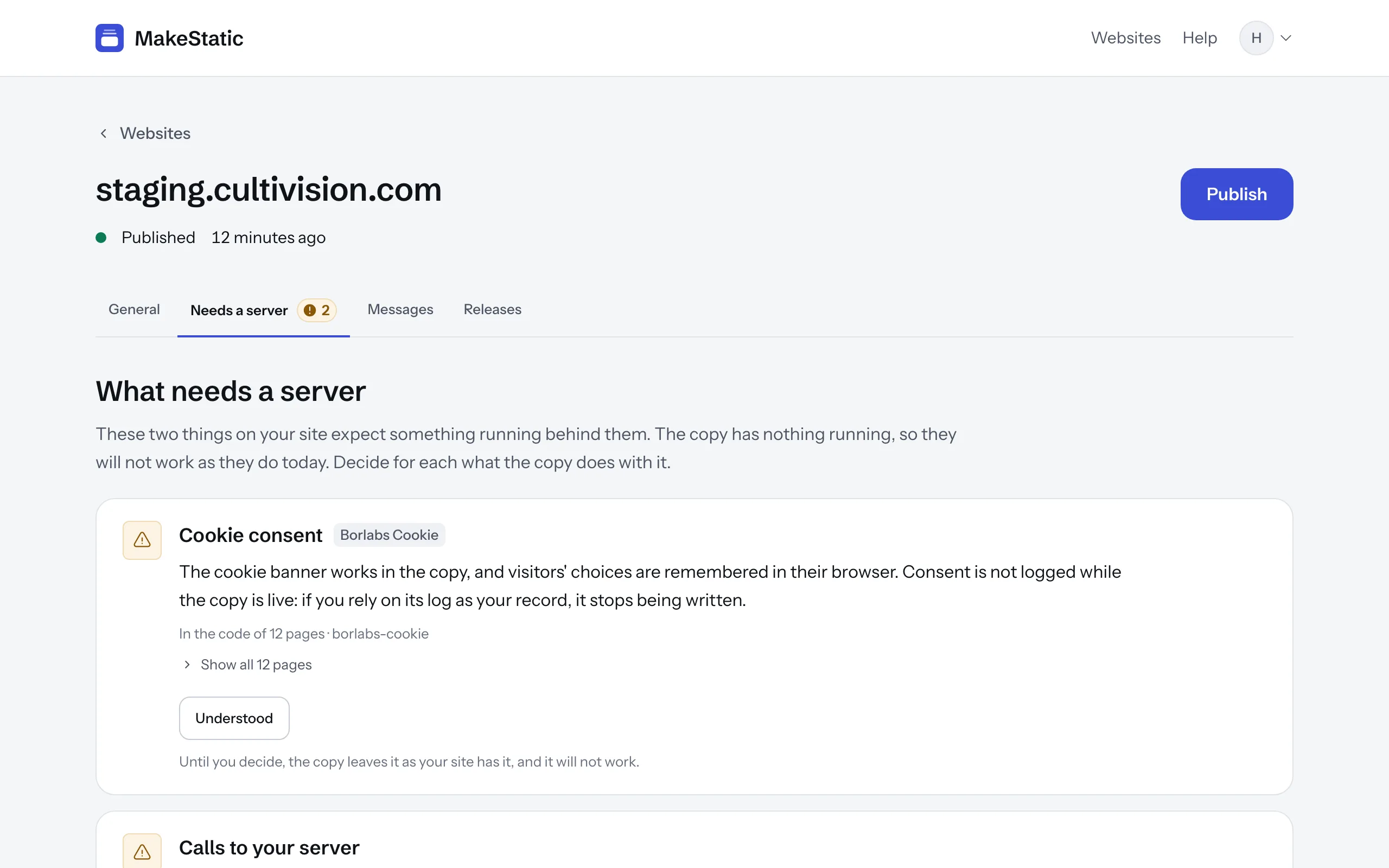
Some things can't work without a server: a login, comments, a shop's checkout. MakeStatic lists them under “Needs a server”, with the page each one is on.
For each form you decide what the copy does with it. “Receive in MakeStatic” delivers what visitors type, like a contact form. “Switch off” disables the form, and you can write a line that appears beneath it, for example an address to write to instead. Your choice takes effect with the next publish.
A password never leaves the visitor's browser, whatever the form: the copy leaves password fields out of what it sends.
The list also names the calls your site's code makes to its server, and a cookie banner that logs consent on your server. The banner keeps working, but consent isn't logged while the copy is live. Something that looks like a form but isn't built as one can be missed, and the list says so.
Checked before it goes live
Before a copy goes live, MakeStatic checks every page of it, on a computer and on a phone. If a page still needs a file from your original, the file is added to the copy. Whatever can't be added is listed on the site's page, page by page.
That matters on the day you switch your original off: a copy that still loaded files from it would break then, and nothing on the screen would have told you.
Limits
- A copy holds up to 500 pages. A bigger site is copied up to there and published, and its page says how many more pages were found.
- Nothing happens on its own. MakeStatic doesn't watch your site, so a change reaches the copy when you press “Publish”.
- There's no export. MakeStatic serves the copy itself; you don't get it as a ZIP file or by FTP.
- Every page of the copy ends with one small line: “Made static with MakeStatic”.
- Copy only websites that are yours, or that you're allowed to copy.
If a page of the copy works differently from your site, that's ours to fix: write to [email protected].